
How to tune reask loops
Not every validation failure deserves the same response. Some failures mean "this response is dangerous or wrong, stop and escalate to a human." Others mean "the model almost got it right, and probably would get it right on a second attempt if it knew what it did wrong." The reask mechanism exists for that second case: instead of immediately blocking or escalating, ValGuard automatically sends the request back to the upstream model, up to a configured number of times, in hopes that a fresh (or feedback-informed) attempt self-corrects.
Used well, reask meaningfully improves your effective success rate without any code changes on your side. Used carelessly, it quietly multiplies your LLM spend and latency on every request that hits a flaky validator, and can mask a validator or prompt problem that really needed fixing rather than retrying around.
This tutorial is about getting reask configuration right: understanding exactly what happens on each retry, choosing which rules should trigger a reask versus a hard block, setting max_reasks sensibly, and reading the metrics that tell you whether your reask configuration is actually helping or just burning money.
By the end, you'll know:
- Exactly what happens to a request between reask attempts
- How to decide, rule by rule, whether
blockorreaskis the righton_failsetting - How to configure and cap
max_reasksper agent - How to read reask-specific metrics to evaluate whether it's working
- What to do when reask isn't helping, including when the right fix is elsewhere
1How It Works
When a validator with
on_fail: reaskfails, the engine does not immediately return an error to your application. Instead, it retries the call to the upstream LLM, and, depending on configuration, can include information about which validator failed and why, so the model has a chance to correct course rather than blindly repeating the same mistake. This continues until either a request passes validation, or the agent'smax_reaskslimit is reached, at which point the final attempt's outcome is what determines the request's actual status: if it still fails, the request is now treated as blocked (or whatever the failing rule'son_failultimately resolves to on that last attempt).This has a direct, important consequence for cost and latency: every reask is a full additional LLM call. A request configured with
max_reasks: 2can, in the worst case, cost three times a single call's tokens and triple its latency, for a fraction of your traffic. This is the fundamental tradeoff reask tuning is about: trading some cost and latency, on the failing subset of requests, for a higher effective success rate without a human in the loop.Not every validator failure should be eligible for a reask. A schema violation (missing a required field) is often genuinely correctable by the model on a second attempt with the same prompt, especially if the model just needs a nudge. A
pii_detectionviolation, on the other hand, usually isn't a "the model almost got it right" situation. It's a signal the response contains something that shouldn't be there at all, and blocking (or escalating to a human) is typically the more appropriate response than hoping a retry omits it.2Prerequisites
- An agent with at least one validator currently set to
blockthat you suspect could be safely retried instead - Awareness of your current cost-per-request baseline, so you can meaningfully compare before/after reask tuning
- Access to Dashboard → Analytics or Validation logs to review historical failure patterns for the validator you're considering
- A sense of your latency budget. Reasks add real, user-facing latency, so this matters more for synchronous, user-facing agents than for background batch processing
- An agent with at least one validator currently set to
3Step-by-Step Setup
4Step 1: Identify reask candidates from your failure history
Go to Dashboard → Validation logs, filter by your agent and by
status: blocked, and group byvalidator_name. Look for validators whose failures seem plausibly self-correctable on a second attempt, most commonly structural issues (missing fields, malformed JSON, wrong enum value) rather than substantive/safety issues.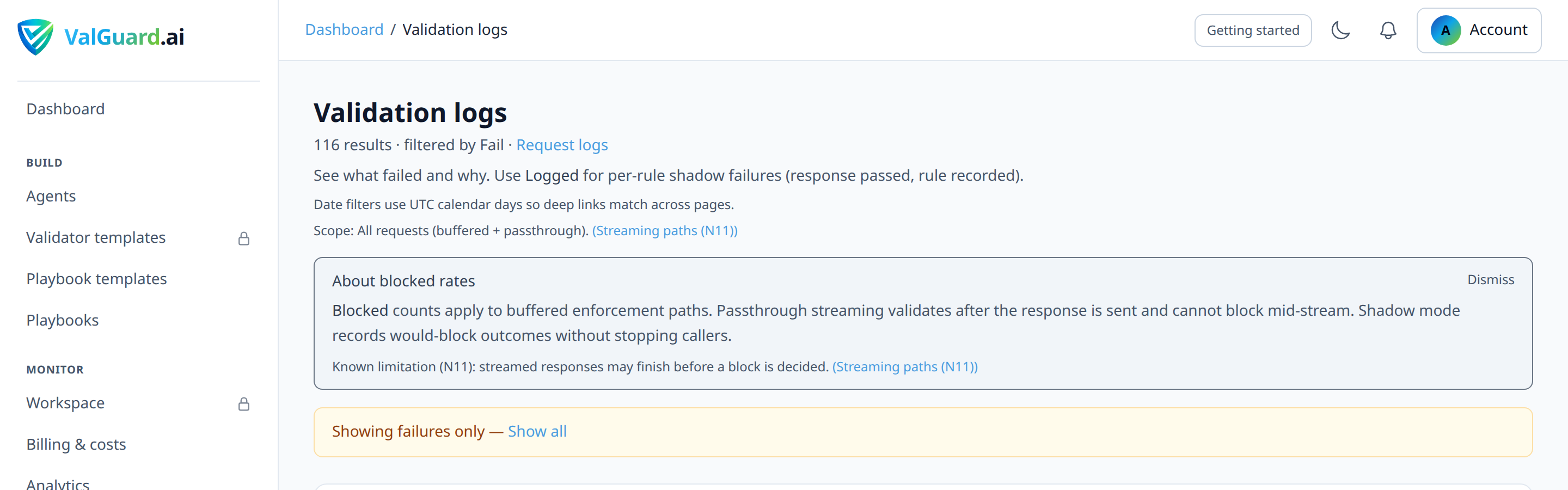
5Step 2: Classify each failing rule
For each candidate, ask: if the model tried again with no other change, would it likely produce a different, correct result? If yes, it's a reask candidate. If the failure reflects something structurally wrong with the prompt itself (the model doesn't have the information it needs, or you're asking for something outside its actual capability), reask won't help. You need to fix the prompt or the task design, not the
on_failsetting.6Step 3: Set the candidate rule's `on_fail` to `reask`
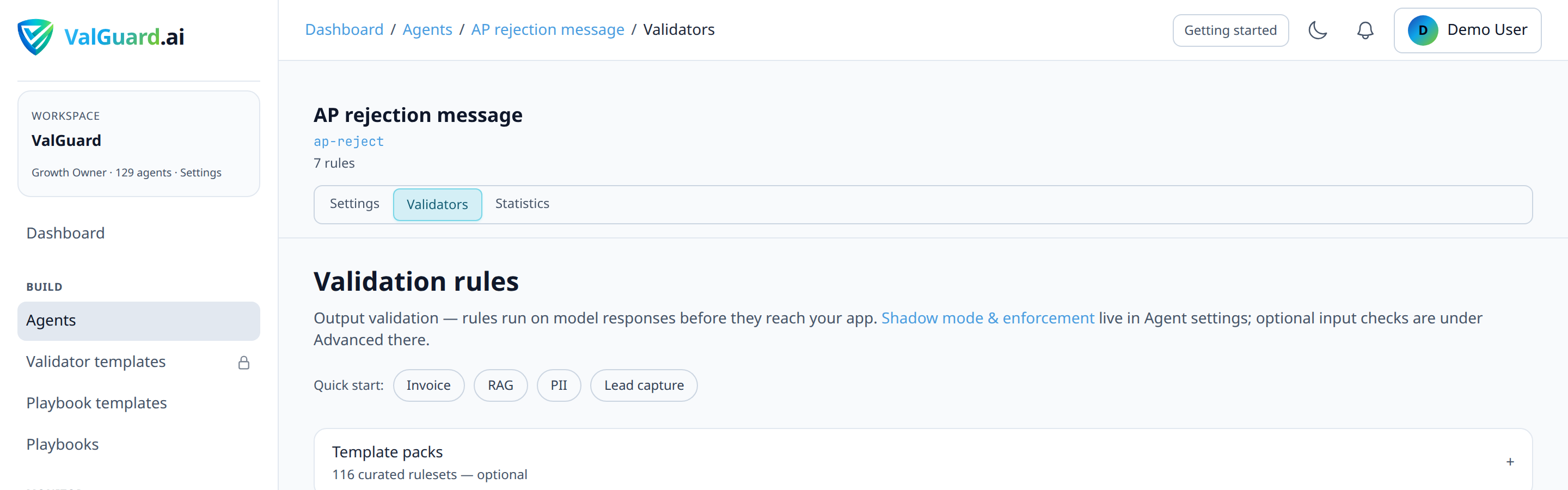
In the agent's Validators tab, open the rule and change On failure from Block to Reask.
7Step 4: Set `max_reasks` on the agent
In the agent's Settings tab, under Output validation, set Max re-asks on validation failure to a small number, start with
1. This caps how many additional attempts the engine will make per request before giving up and falling back to the rule's ultimate failure behavior.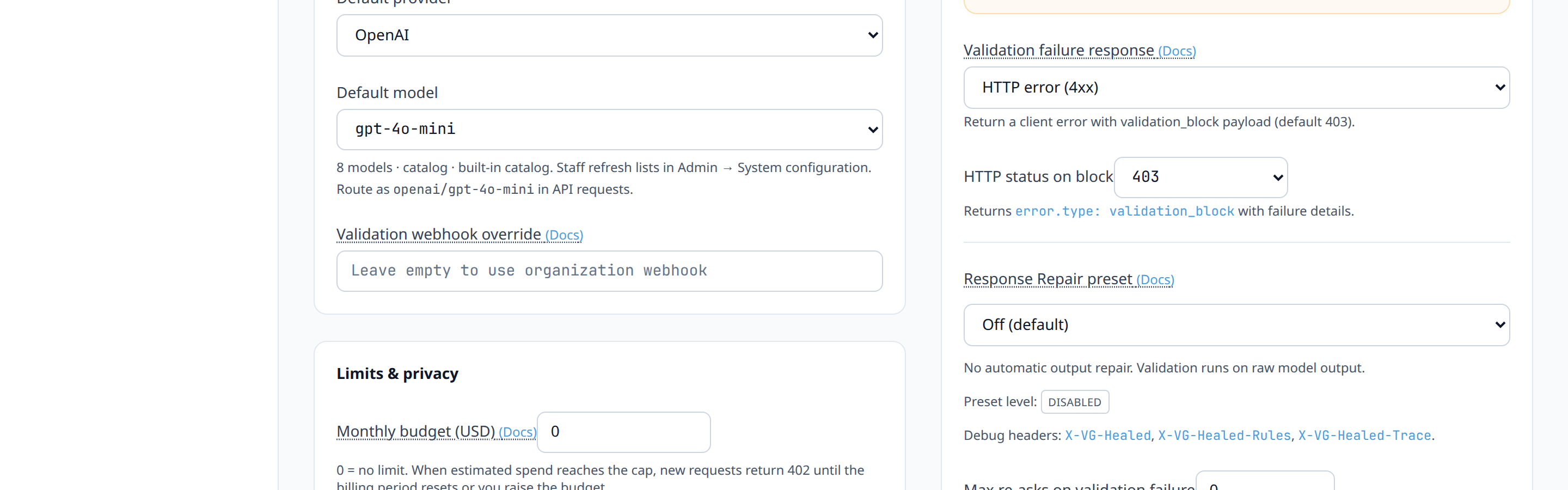
8Step 5: Roll out in shadow first if this is a production-critical agent
Exactly as with any other validation change: if this agent handles significant live traffic, consider a brief shadow-mode observation window (see the shadow-to-enforce tutorial) so you can see the projected reask rate before it affects real latency and cost.
9Step 6: Send test traffic that reliably fails on the first attempt
Craft a prompt likely to trip the target validator on a naive first pass, for example, a deliberately ambiguous instruction that sometimes yields a response missing a required field.
curl -si "$VG_PROXY/v1/chat/completions" \ -H "Authorization: Bearer $VG_API_KEY" \ -H "X-VG-Agent: invoice-extraction" \ -H "Content-Type: application/json" \ -d '{"model":"openai/gpt-4o-mini","messages":[{"role":"user","content":"Summarize this invoice."}]}'10Step 7: Confirm the reask actually happened
The response itself won't tell you. Check the request's entry in Dashboard → Request logs instead. A request that needed a reask and eventually passed shows status
reasked_ok, with an attempt count greater than one.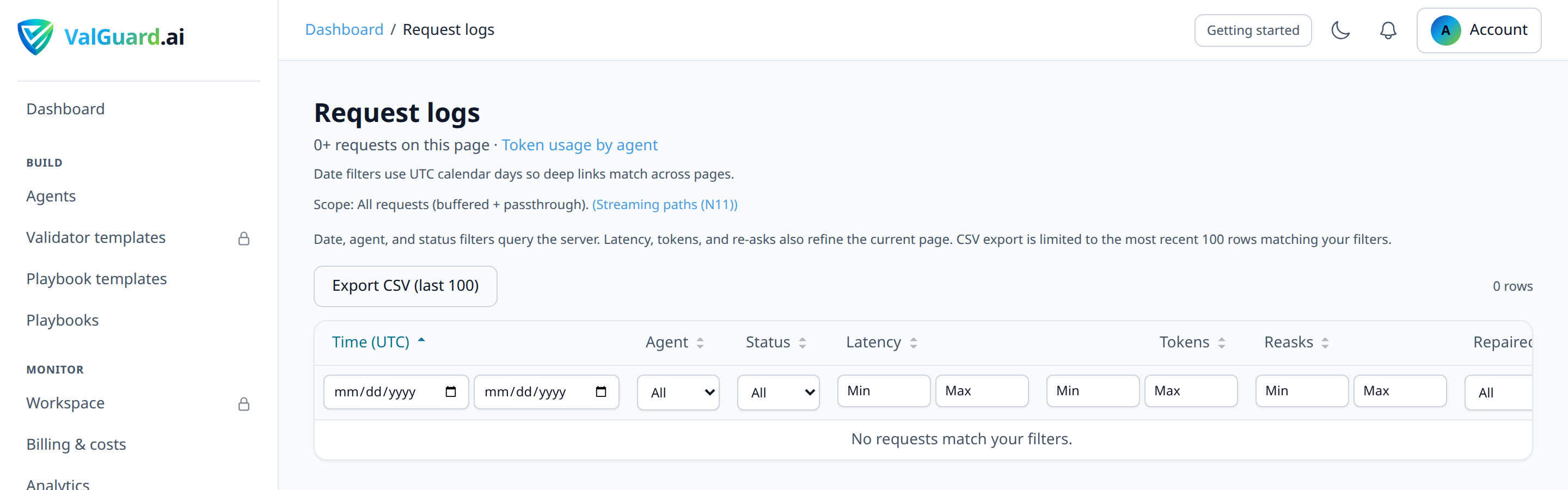
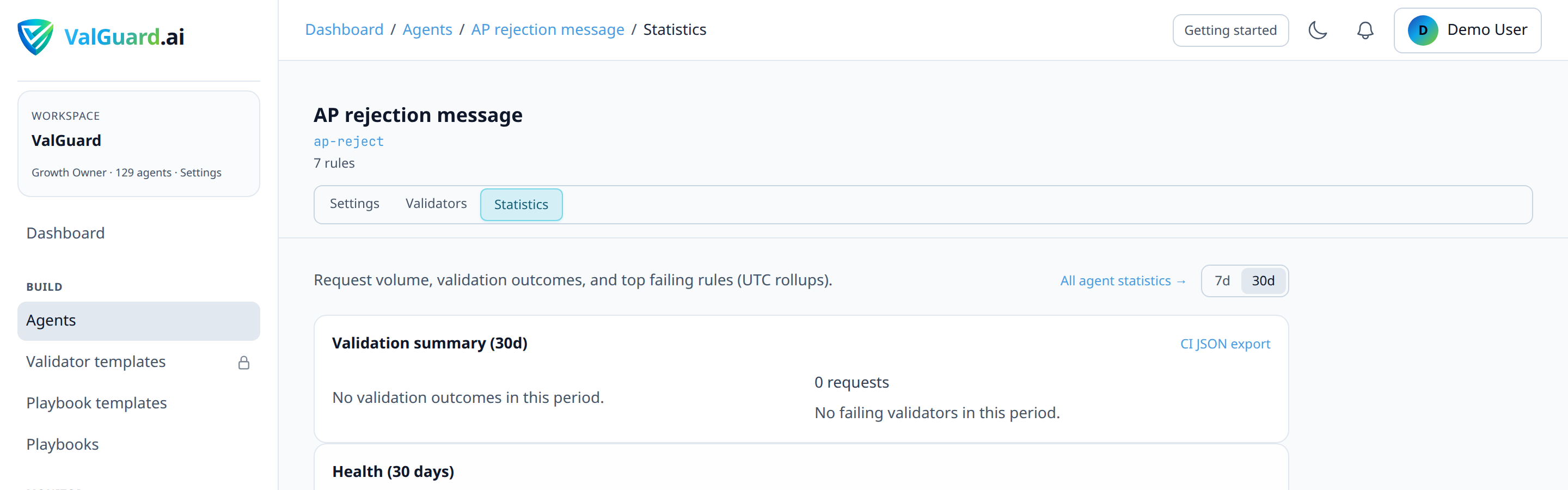
11Step 8: Watch the reask success rate over a real traffic window
After a few days of live traffic, check what fraction of reasked requests actually succeed on the retry versus still failing and falling through to block. A high reask-success rate validates the decision; a low one is a sign the rule isn't actually a good reask candidate after all.
12Step 9: Tune `max_reasks` based on marginal returns
If you're seeing meaningful additional successes at
max_reasks: 2versus1, and your latency/cost budget tolerates it, raise the limit. If the second reask attempt almost never succeeds where the first one failed, keep the limit at 1. Additional attempts beyond that point are usually just extra cost with little extra benefit.13Step 10: Revisit rules that don't improve with reask
If a rule's reask success rate stays low over a meaningful sample, move it back to
block(orreaskwithmax_reasks: 0effectively disabling retries for that specific case if your configuration supports per-rule overrides) and address the underlying issue directly. Usually a prompt change, not a validation change.14Diagram / Flow
15Configuration Examples
Agent settings with reask enabled on a specific rule:
{
  "slug": "invoice-extraction",
  "max_reasks": 1,
  "validators": [
    {
      "name": "required_fields",
      "enabled": true,
      "priority": 10,
      "severity": "error",
      "on_fail": "reask",
      "params": { "fields": ["invoice_number", "total_amount", "vendor_name"] }
    },
    {
      "name": "pii_detection",
      "enabled": true,
      "priority": 20,
      "severity": "error",
      "on_fail": "block",
      "params": {}
    }
  ]
}
Note the deliberate split above:
required_fields(structurally correctable) is set toreask, whilepii_detection(a safety/compliance concern, not a "try again" situation) stays onblock.Response for a request resolved via reask:
HTTP/1.1 200 OK
X-VG-Validation-Status: pass
X-VG-Request-Id: 6b2f1a9c-3d5e-4a91-bb0c-7e2f9a1c4d38
The response header only tells you the request ultimately passed. It doesn't distinguish "passed on the first attempt" from "passed after a reask." For that distinction, check the request's entry in Dashboard → Request logs, where the stored status is
reasked_okand the attempt count reflects how many extra calls it took.Response for a request that exhausted its reask budget:
HTTP/1.1 403 Forbidden
X-VG-Validation-Status: block
X-VG-Request-Id: 6b2f1a9c-3d5e-4a91-bb0c-7e2f9a1c4d38

{
  "error": {
    "type": "validation_block",
    "reason": "required_fields",
    "message": "response blocked by validation policy",
    "details": {
      "failures": [
        { "validator_name": "required_fields", "message": "Missing required field: total_amount", "on_fail": "block", "severity": "error" }
      ]
    }
  }
}
The status code defaults to
403but is configurable per agent viavalidation_fail_status(any 4xx code except429, which is reserved for rate limiting). The request's stored status in Dashboard → Request logs isreasked_failedin this case, distinguishing it from a request that was blocked with zero reask attempts.16Testing and Verification
- Confirm reask actually retries the upstream call, not just the validator. The cleanest test is watching your upstream provider's own request logs (if visible) to confirm two calls were made for one API request when a reask fires.
- Confirm the reask count is capped correctly by testing with an input designed to fail every single time (e.g., asking for a field that genuinely cannot be derived from the given context) and confirming the request stops after exactly
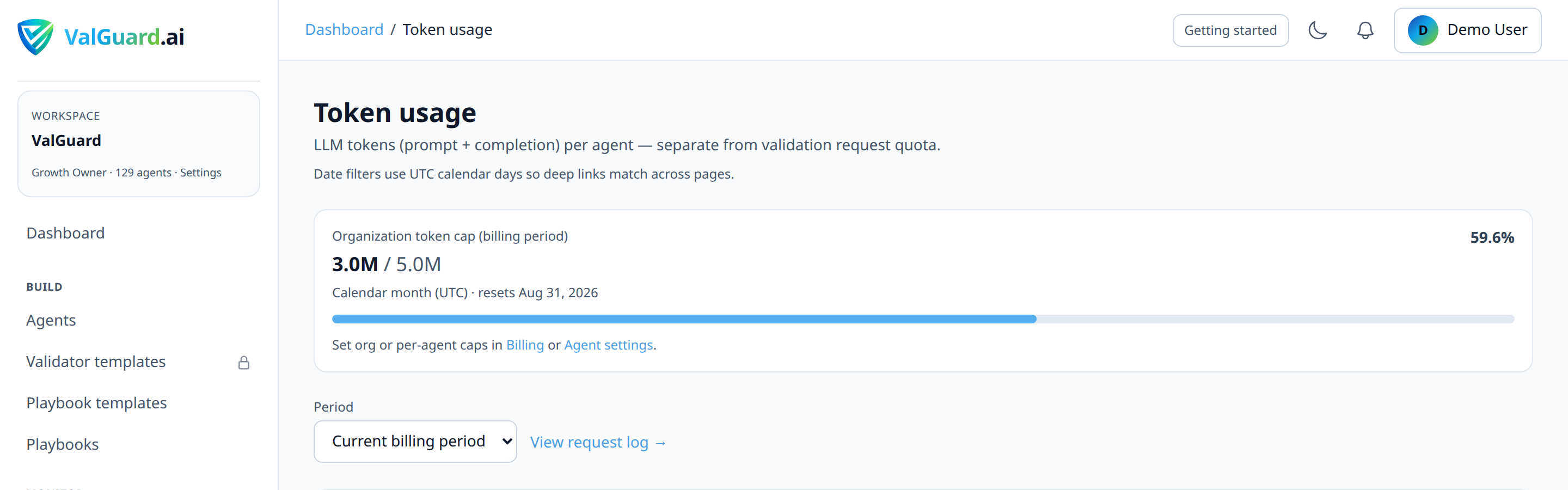
max_reasksadditional attempts rather than retrying indefinitely. - Compare cost per successful request before and after enabling reask on a rule, using Dashboard → Token usage. A good reask configuration should show a modest increase in average cost per request, offset by a meaningfully lower block rate.
17Troubleshooting
"Reask never seems to succeed. Every reasked request still ends up blocked." This is the clearest signal the rule isn't actually a good reask candidate. Check whether the model has enough information in the prompt to succeed at all; if the task is genuinely underspecified or outside the model's capability on this input, no number of retries will fix it. The underlying prompt or task design needs attention, not more reask budget.
"Costs jumped much more than expected after enabling reask." Check what fraction of your traffic is triggering the reask in the first place, not just the reask success rate. If a much larger share of requests than you estimated are failing on the first attempt, your prompt (not just your validator) may need improvement, since the highest-leverage fix is usually reducing how often the model fails the first time, not how gracefully you retry it.
"I can't tell whether a request was reasked from my application code." The response headers don't expose a reask count. Both a request that succeeded on the first attempt and one that needed a reask return HTTP 200 with
X-VG-Validation-Status: passand a valid payload. If your application logic cares about the distinction (e.g., for latency monitoring), you need to look it up out-of-band: query Dashboard → Request logs (or the underlying request-status data) byX-VG-Request-Idand check whetherstatusreadsokorreasked_ok."Reask is adding unacceptable latency to a user-facing flow." Consider whether this specific validator genuinely needs reask, or whether a faster failure mode (immediate block with a clear error your application can handle gracefully, such as a "please try rephrasing" message) is a better user experience than a multi-second wait for a retry that might fail anyway. Reask suits backend or asynchronous flows better than tightly latency-bound interactive ones.
"Different validators on the same agent seem to interact strangely with reask." If multiple rules can trigger a reask, the retried attempt is re-validated against all rules, not just the one that originally failed. A reask attempt that fixes the original problem can still fail a different rule and consume another reask attempt. Review multi-rule agents carefully when tuning
max_reasks, since the effective reask rate is the union of every reask-eligible rule's failure rate, not any single rule's rate in isolation.18Best Practices
- Reserve reask for structurally correctable failures, and keep
blockfor safety, compliance, and correctness issues where "try again" isn't a meaningful strategy. - Start with
max_reasks: 1and only raise it with evidence that additional attempts meaningfully improve your success rate. Most of the value is typically captured in the first retry. - Track reask rate and reask success rate as ongoing metrics, not just a one-time tuning exercise. Both prompt drift and upstream model updates can change these numbers over time.
- Treat a chronically high reask rate on a given rule as a prompt-quality signal, not just a validator-tuning question. If a third of your requests need a retry to pass a basic schema check, the prompt is probably underspecifying what you need.
- Consider latency sensitivity per use case. The same rule might reasonably use reask on a backend batch-processing agent but should stay on immediate
block(with fast, clear application-side error handling) on a synchronous, user-facing chat agent.
- Reserve reask for structurally correctable failures, and keep
19Advanced Options
Combining reask with playbook-level repair loops. For failures that don't self-correct with a simple reask (the model needs more context, not just another attempt), an orchestration-level repair loop (routing back to a dedicated "extract" step with explicit feedback about what was missing, bounded by a
max_visitslimit) is a more powerful pattern than agent-level reask alone. Reask suits "the model can probably get it right with the same information"; a repair loop suits "the model needs different or additional information to get it right."Cost-aware reask budgets by agent tier. If you operate agents with meaningfully different cost profiles (a cheap model on one agent, a premium model on another), consider tuning
max_reasksper agent rather than using one global default. A premium-model agent's reask cost is proportionally much higher per attempt, which changes the cost/benefit calculation even if the reask success rate is similar.Correlating reask spikes with upstream provider changes. A sudden increase in reask rate on a previously stable agent, with no changes on your side, is a useful early signal that an upstream provider silently changed model behavior (a new model version, a subtly different system prompt handling). Worth checking your provider's changelog before assuming the issue is on your end.
20Summary and Next Steps
Reask is a targeted tool for a specific problem: failures that are likely self-correctable with another attempt at the same task. The configuration is simple: set the right rules to
on_fail: reask, cap the retry budget withmax_reasks, and watch the metrics. But the judgment behind which rules qualify, and honestly evaluating whether reask is actually helping versus just adding cost, is where the real value of this tutorial lives.From here, if you find failures that reask genuinely can't fix because the model needs more information rather than another attempt, the natural next step is exploring fallback logic and repair loops at the playbook level, which give the model a genuinely different, better-informed second chance instead of just asking it to try the same thing again.