
How to add fallback logic
A playbook that only has a happy path isn't finished. It's a demo. Real traffic produces malformed extractions, ambiguous classifications, and responses that fail validation for reasons a first draft never anticipated. Fallback logic is what turns "this playbook works on the examples I tried" into "this playbook handles the inputs I didn't anticipate, gracefully."
This tutorial covers the three main fallback patterns available in ValGuard playbooks: routing a failed step to an alternate path, building a bounded repair loop that gives the model another attempt with explicit feedback, and escalating to a human when neither of those is appropriate. By the end, you'll know:
- How to identify which failures in your playbook actually need a fallback path, versus which are fine to leave as a hard block
- How to add an alternate branch triggered by validation failure
- How to build a bounded repair loop that retries a step with feedback about what was missing
- How reask (agent-level retry) and repair loops (playbook-level retry) differ, and when to use each
- How to test every fallback path before trusting it in production
1How It Works
Fallback logic in a playbook is built from the same primitives as any other routing: a step's validators run, and a route out of that step decides what happens next based on the result. What makes it "fallback" rather than just "the next step" is the intent. You're deliberately routing a failure case somewhere productive, rather than letting it fall through to a hard block with no recourse.
Three patterns cover most real cases:
Alternate branch. The failing step routes (via
on_validation_block) to a different next step than the success path does, commonly a stricter, more conservative agent, or a human-handoff step. This is the simplest fallback: one extra route, one extra destination.Repair loop. The failing step routes back to itself (or an earlier step) with feedback about what went wrong, bounded by a
max_visitslimit so the loop can't run forever. Theon_rule_failedroute condition is what makes this possible: routing specifically on which named rule failed, not just "validation failed" in general, so the retry can be given targeted feedback ("therequired_fieldscheck failed, you're missingtotal_amount") rather than a generic "try again."Human handoff. The failing step routes to a terminal (or near-terminal) step that hands the case to a person. It's often paired with a
human_handoff_json_agent-style structured output so the handoff carries a clean, structured summary of what needs review rather than raw model text.The key distinction between a repair loop and agent-level
reask(covered in its own tutorial) is what retries.reaskretries the exact same step with the exact same input, hoping the model self-corrects on a second attempt. A repair loop retries with additional, targeted feedback about what specifically failed. It's a more powerful tool for failures where the model didn't have enough information the first time, not just cases where it made an incidental mistake.2Prerequisites
- A working playbook with at least one step whose validators can plausibly fail (see the first-playbook and chain-agents tutorials if you don't have one yet)
- Familiarity with route condition types (
on_validation_pass,on_validation_block,on_rule_failed) from earlier tutorials - A view of your validation logs for the target playbook, if it's already live (real failure patterns are a much better guide for fallback design than guessing)
3Step-by-Step Setup
4Step 1: Identify real failure points from validation logs
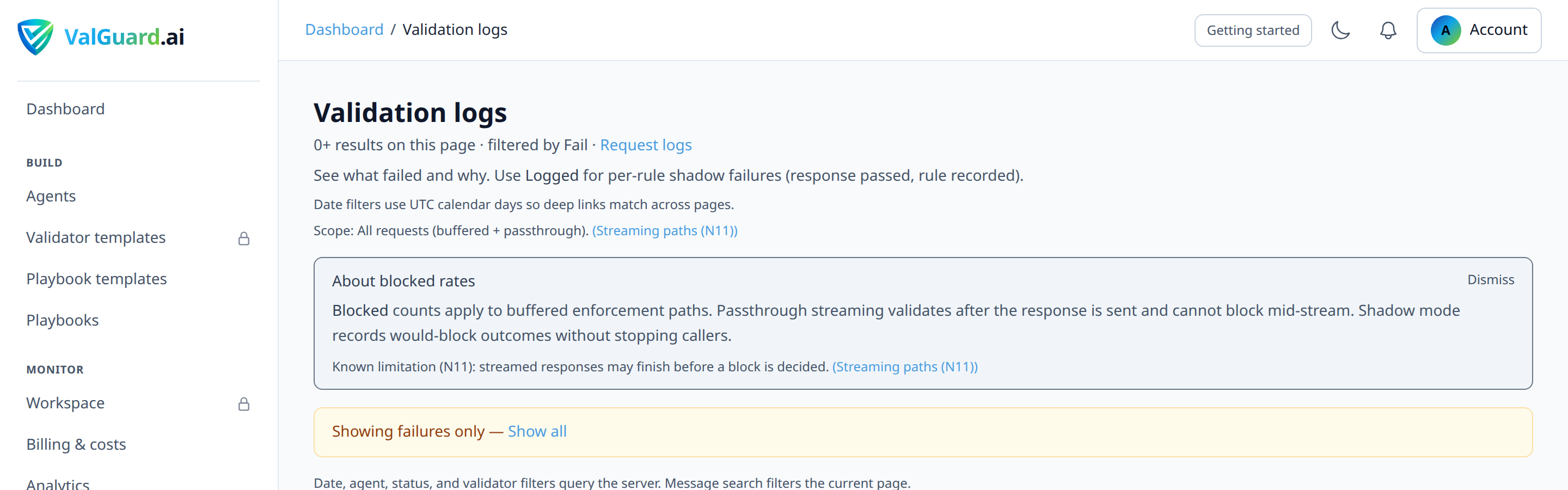
If the playbook is already live, review Dashboard → Validation logs filtered to that playbook and look at which steps actually fail, and why. If it's not live yet, list the failure modes you expect each step's validators to catch, then use Simulate to declare a Block outcome for each one and confirm the graph's fallback routes actually exist and go where you intend. Simulate previews routing, not whether your validators will genuinely catch those inputs, so plan on confirming the real failure modes with Live once a first version is published.
5Step 2: Decide which failures deserve which fallback pattern
For each recurring failure: is it something a retry with feedback could plausibly fix (repair loop), something that needs a fundamentally different approach (alternate branch), or something that genuinely needs a human's judgment (handoff)? Not every failure needs an elaborate fallback. Some are fine left as a hard block, especially safety/compliance failures.
6Step 3: Add an alternate branch for the simplest case
In the Storyboard or Map editor, add a new step (a stricter agent, or a handoff step) and a route from the failing step to it with
condition_type: on_validation_block.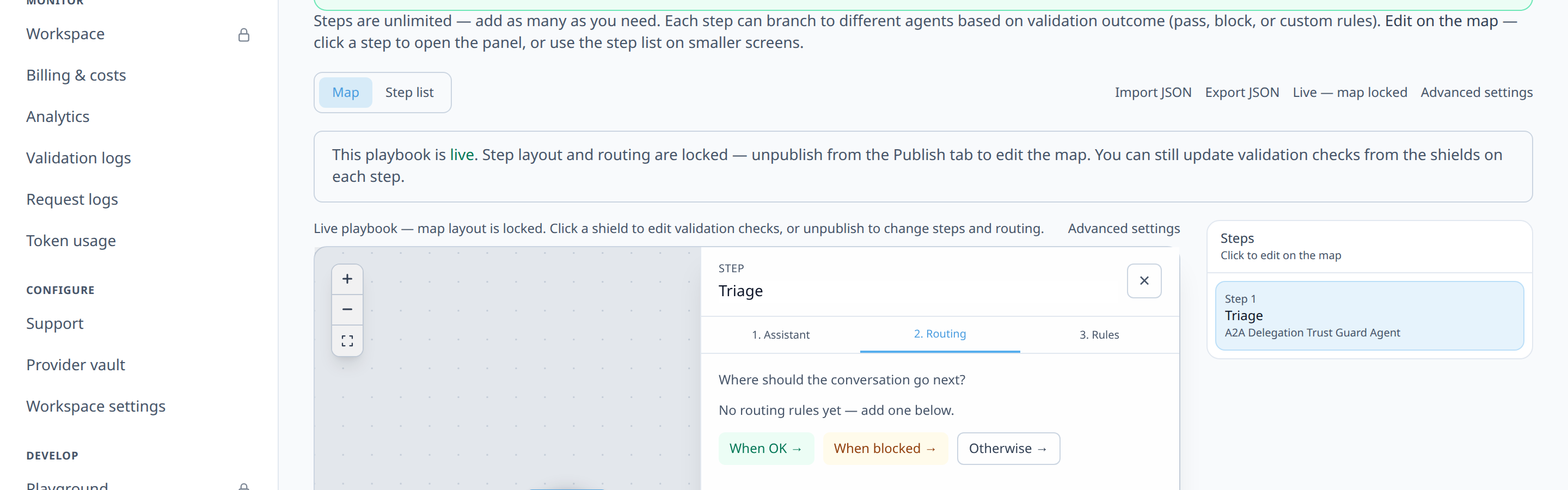
7Step 4: Build a repair loop for a structurally correctable failure
For a failure like a missing required field, plausibly fixable by giving the model another shot with explicit feedback, add a route back to the same step (or a dedicated repair variant of it) with
condition_type: on_rule_failedscoped to the specific rule name.
8Step 5: Set a max_visits bound on the repair loop
Every repair loop needs a hard limit, or a persistently failing input loops forever. Set
max_visits(commonly 2–3) on the repair step.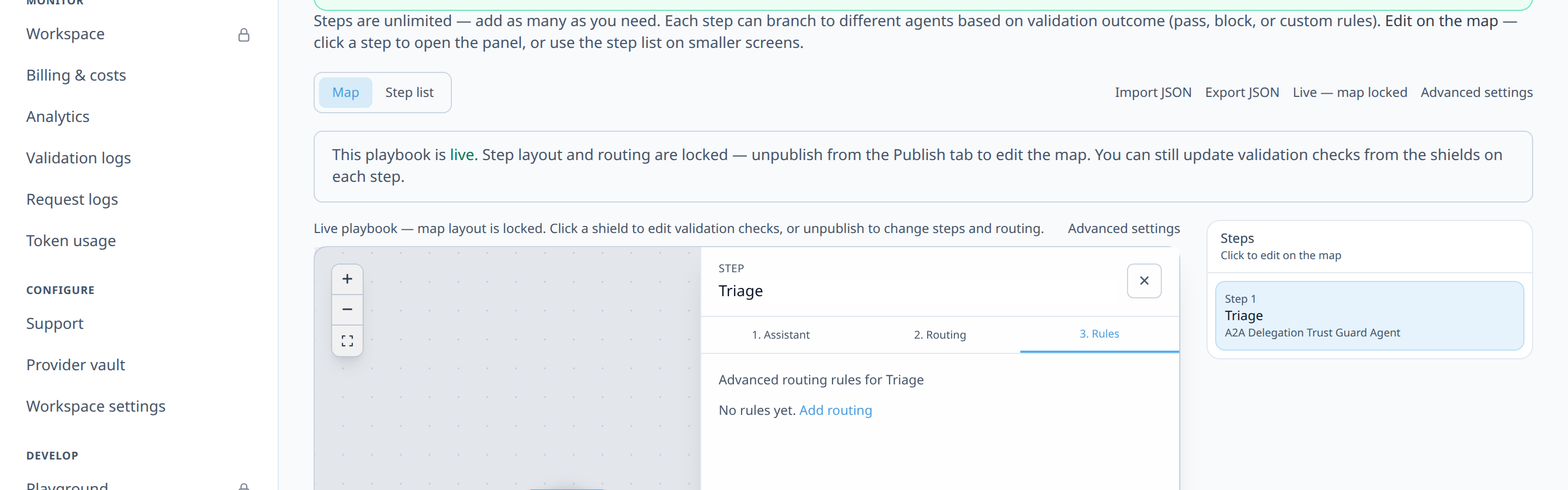
9Step 6: Pass failure feedback into the retry
If your template supports it, include the specific validator failure reason in the retry step's context (via
custom_templateinput mode) so the model gets targeted feedback ("you're missing total_amount") rather than just being asked the same question again with no new information.10Step 7: Add the exhausted-repair-loop exit route
Once
max_visitsis reached, the loop needs somewhere to go rather than dead-ending. Add a final route from the repair step to a human-handoff terminal, conditioned on having exhausted the retry budget.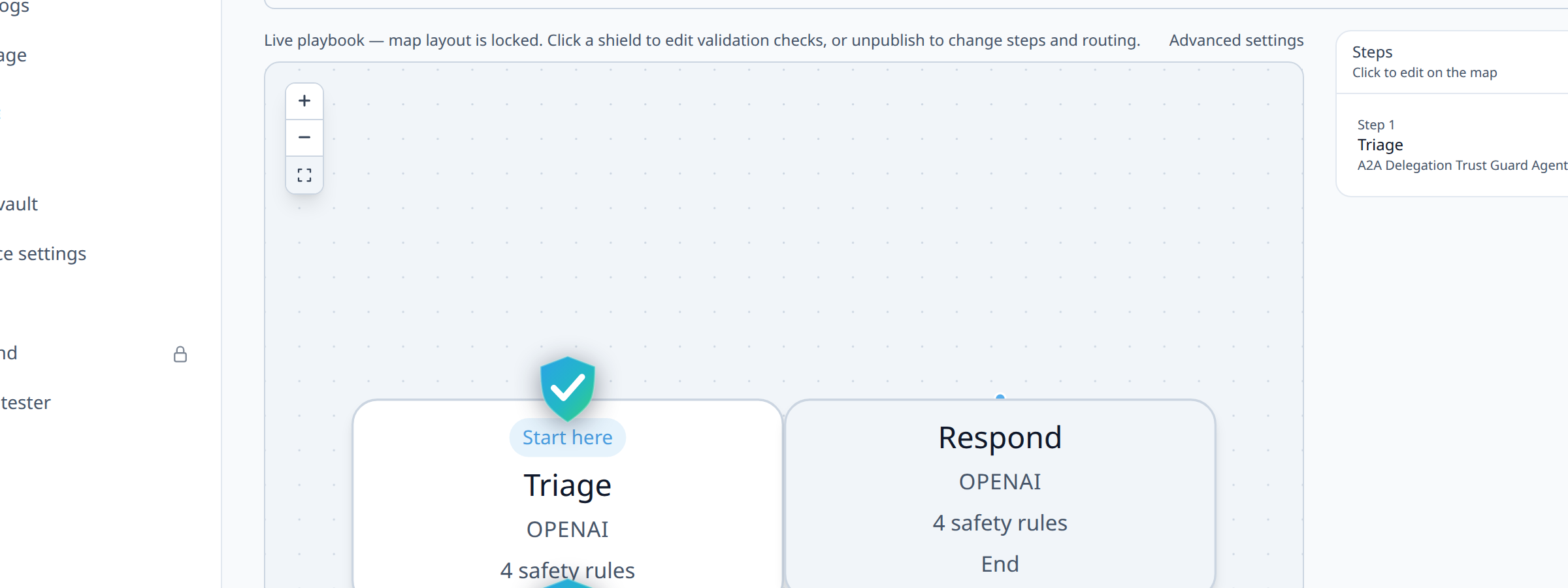
11Step 8: Configure validator-level on_fail as a complementary layer
Independent of playbook-level fallback routing, individual rules within a step can still use
reaskfor structurally correctable single-attempt retries. The two mechanisms aren't mutually exclusive, and a step can use agent-levelreaskfor minor self-correction while the playbook's repair loop handles the case where even that isn't enough.12Step 9: Test every fallback path's routing in Simulate, then confirm with Live
For each fallback pattern you've added, declare the outcome that should trigger it (typically
block, repeated across attempts for a repair loop) and confirm the graph takes the path you expect, including confirming the repair loop actually exits aftermax_visitsrather than looping indefinitely. This proves the routing; run at least one real Live request that you know should fail to confirm the actual validator produces that block in the first place.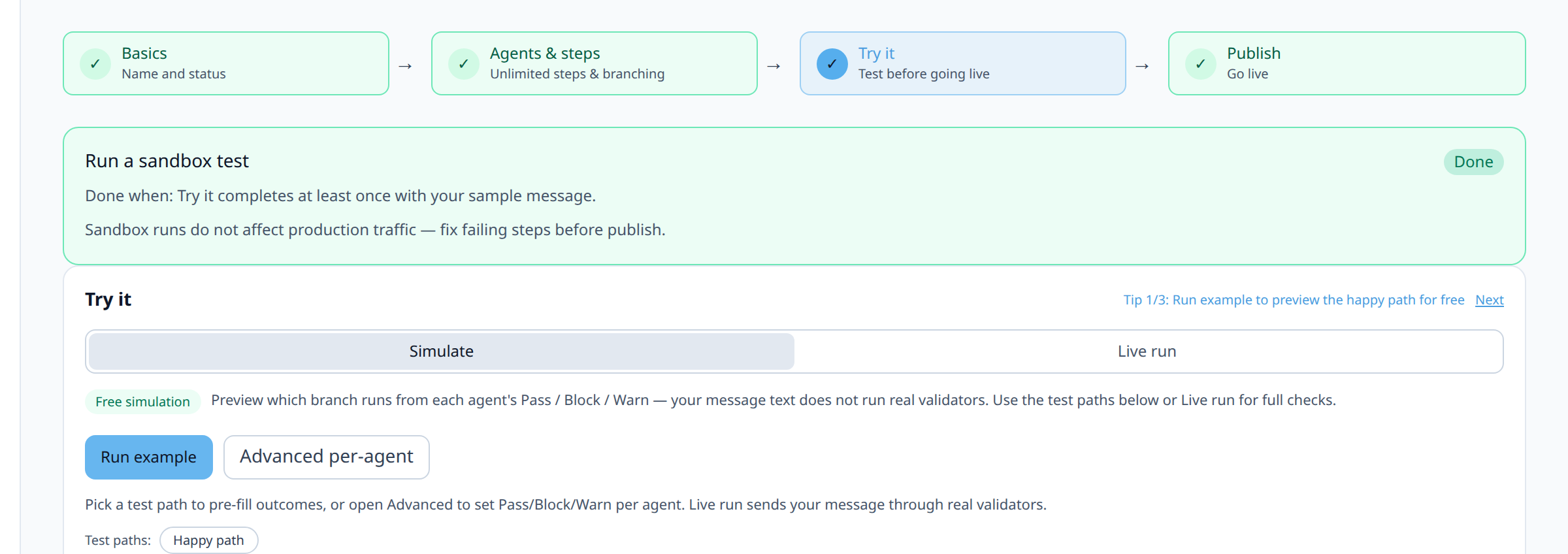
13Step 10: Publish and monitor fallback-path frequency
After going live, watch how often each fallback path actually triggers in Dashboard → Analytics → Orchestration. A repair loop that never succeeds on retry, or an alternate branch that fires constantly, is a signal to revisit the underlying agent or prompt, not just the fallback logic itself.
14Diagram / Flow
15Configuration Examples
Repair loop route configuration:
steps: - step_key: extract node_type: agent agent_slug: invoice-extract input_mode: pass_through max_visits: 3 - step_key: review_handoff node_type: agent agent_slug: human-handoff-summary input_mode: append_previous routes: - from_step_key: extract to_step_key: extract condition_type: on_rule_failed rule_name: required_fields priority: 10 is_fallback: false - from_step_key: extract to_step_key: review_handoff condition_type: on_validation_block priority: 20 is_fallback: true ``` **Example curl call with a message likely to trigger the repair loop:** ```bash curl -si "$VG_PROXY/v1/chat/completions" \ -H "Authorization: Bearer $VG_API_KEY" \ -H "X-VG-Flow: extract-repair-loop" \ -H "Content-Type: application/json" \ -d '{"model":"openai/gpt-4o-mini","messages":[{"role":"user","content":"Extract invoice fields from this partial scan: vendor Acme, rest illegible"}]}' ``` ``` X-VG-Orchestration-Path: extract > extract (repair, visit 2) > extract (repair, visit 3) > review_handoff16Testing and Verification
- Trigger each fallback path with a purpose-built input. For the alternate branch, an input guaranteed to hard-fail. For the repair loop, an input plausibly fixable on retry. For handoff, an input designed to exhaust the repair loop entirely.
- Confirm the repair loop actually terminates. Send an input guaranteed to fail on every attempt and confirm the graph exits to handoff at exactly
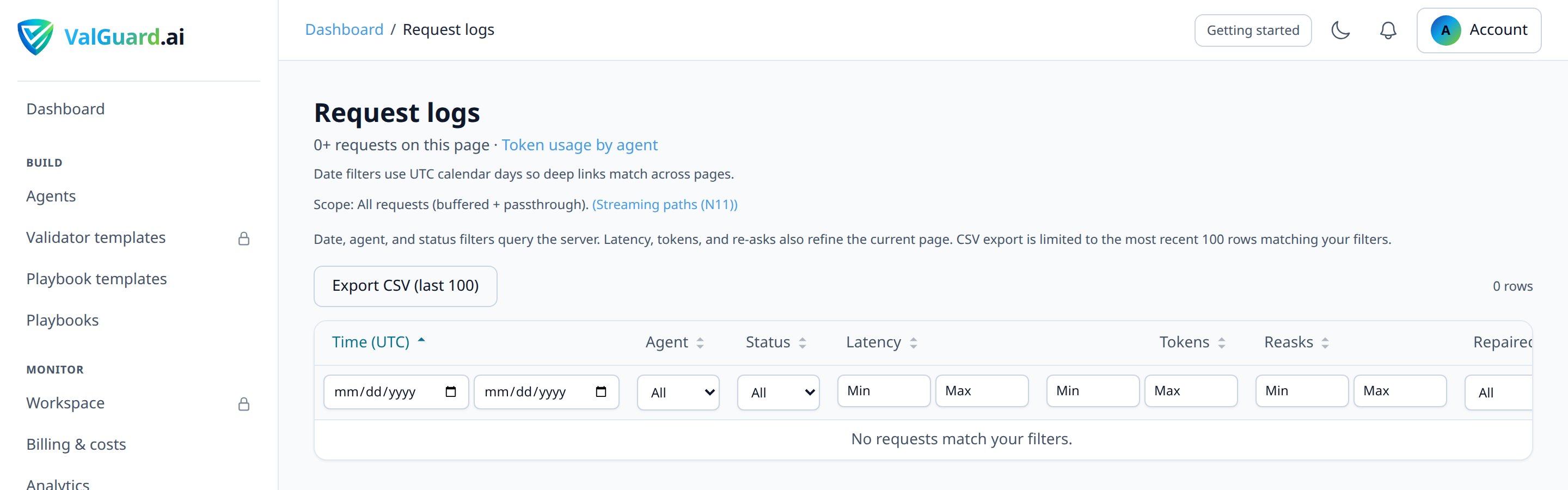
max_visits, not before and not after. - Check retry feedback is actually reaching the model. Simulate only tracks visit counts for a repair loop. It doesn't construct the retry feedback message a real repair attempt sends. Run a real Live request through the repair loop and inspect the second attempt's actual input in Dashboard → Request logs to confirm it includes the specific failure reason, not just a repeat of the original prompt.
17Troubleshooting
"My repair loop runs forever." Check that
max_visitsis actually set on the step. A repair route withon_rule_failedand no visit limit will retry indefinitely on a persistently failing input."The repair loop exits to handoff immediately, without ever retrying." Check the route priorities. If the
on_validation_blockroute to handoff has a lower priority number (evaluated first) than theon_rule_failedrepair route, it will win before the repair path gets a chance."Retries don't seem to include feedback about what failed." Confirm the repair step's
input_modeis actually assembling the failure reason into context.pass_throughor a plainappend_previouswon't automatically include it; you typically needcustom_templateto inject the specific validator message."I want different fallback behavior for different failed rules on the same step." Use multiple
on_rule_failedroutes with differentrule_namevalues and different priorities. Arequired_fieldsfailure might go to a repair loop, while apii_detectionfailure on the same step might go straight to handoff, since retrying rarely fixes a genuine PII leak."A fallback branch fires far more often than I expected." Treat this as a signal about the primary path, not just the fallback. A repair loop or alternate branch firing on a large fraction of traffic usually means the main step's prompt or agent needs improvement, not that the fallback needs to be more elaborate.
18Best Practices
- Reserve repair loops for failures that plausibly self-correct with feedback. A rule that fails for reasons outside the model's control (missing source data, an impossible request) won't be fixed by retrying. Route those straight to handoff instead.
- Always bound a repair loop with
max_visits. There is no such thing as a safe unbounded retry loop in a production playbook. - Design the exhausted-loop exit deliberately, not as an afterthought. A repair loop that dead-ends with no route when
max_visitsis reached will fail in a confusing way. - Monitor fallback frequency as an ongoing metric, not just at launch. A fallback path's usage rate over time tells you whether the primary path is improving, stable, or degrading.
- Keep repair-loop feedback specific. "The response is missing total_amount" corrects behavior far more reliably than a generic "please try again."
19Advanced Options
Combining repair loops with fan-out. If one branch of a fan-out has a repair loop and others don't, the merge node still waits for the repair loop to either succeed or exhaust its retries. Plan for this added latency on the branch with retry logic when reasoning about overall playbook latency. For partial success (some branches pass, others block), use
merge_policy: min_passing_brancheswith anon_partial_passroute from the merge step and thebranch_pass_countvalidator on the post-merge agent. See fan-out-merge.Escalation tiers. For high-stakes workflows, consider more than one fallback tier: a repair loop first, then an alternate stricter agent if repair fails, and only then human handoff, rather than jumping straight from failure to a person for every case.
Correlating fallback paths with cost. A repair loop that runs its full
max_visitsbudget on a large fraction of traffic is also a cost signal. Each retry is a full additional LLM call, the same cost consideration covered in depth in the reask-tuning tutorial.20Summary and Next Steps
Fallback logic is what makes a playbook production-grade rather than a demo: alternate branches for failures that need a different approach, bounded repair loops for failures a retry with feedback can plausibly fix, and human handoff for everything else. The mechanics reuse the same routing primitives as the rest of the graph. The design work is in matching the right fallback pattern to each real failure mode you actually observe.
From here, tuning reask loops covers the complementary agent-level retry mechanism for single-attempt self-correction, and running parallel steps with fan-out and merge is worth revisiting once you have fallback logic in place on individual branches, since the two patterns compose naturally in more ambitious playbooks.