
How to set monthly token limits
A USD budget (covered in the budget-alerts tutorial) caps estimated dollar spend. A token limit caps something more direct: the raw number of tokens (prompt plus completion, combined) an agent or organization consumes in a billing period. The two mechanisms overlap in intent (both are cost guardrails) but they're enforced independently, use different units, and can each block a request for a different reason, so it's worth understanding both rather than assuming one implies the other.
This tutorial covers configuring both organization-level and per-agent token caps, understanding that caps are opt-in rather than a plan default, reading usage against your cap in the dashboard, and what actually happens, and what to do, when a cap is reached. By the end, you'll know:
- What counts as a token for cap purposes, and how org and agent caps interact
- How to set an organization-wide token cap (Growth+ plans)
- How to set a per-agent token limit
- How to read usage, utilization percentage, and projected exceed date
- What HTTP 402
token_cap_exceededmeans and how to resolve it
1How It Works
Token caps are opt-in — no plan applies a token cap by default. Usage is tracked for every organization regardless of plan, but nothing is blocked until you (or an admin) set an explicit limit. When you do set one, it's a combined count: prompt tokens plus completion tokens, across every agent in the organization, not counted separately per direction. Usage tracking follows your Stripe subscription's billing period on paid tiers; the Free tier tracks on a calendar month in UTC.
You can set two layers of opt-in caps:
Organization override. Owners and admins on Growth+ plans can set an explicit org-wide cap. Leave it blank to leave the organization uncapped.
Per-agent limit. Also Growth+, configured on individual agent settings: a specific agent's own token ceiling, independent of what other agents in the org are consuming.
When both an org cap and an agent cap could apply, the stricter limit wins. An org cap of 500,000 tokens blocks requests once the organization's total usage hits that number, even if a specific agent's own 1,000,000-token limit hasn't been reached yet. The org-wide ceiling is the binding constraint in that scenario. Conversely, a low per-agent cap can block that specific agent well before the organization as a whole approaches its own limit.
Orchestration steps reserve tokens against their own agent the same way a single-agent chat request does. A playbook with five steps, each using a different agent, draws down five different agents' token allowances (and the shared org allowance) independently per step, not the playbook's total against one combined figure.
When a cap is exceeded (and org-level token overage billing is not enabled, see Advanced Options), the API returns HTTP 402 with error code
token_cap_exceeded, before the upstream call, so the blocked request doesn't consume any tokens it would have used. This is a distinct error code fromagent_budget_exceeded(USD budget, also HTTP 402) andmonthly_cap_exceeded(your plan's monthly validation request quota, HTTP 429). All three are usage guardrails, but they trigger under different conditions and need different responses.2Prerequisites
- Access to Dashboard → Billing & costs to view/set the org-level cap (owner or admin, Growth+ for setting an override)
- Access to Dashboard → Agents → [agent] → Settings for per-agent limits (Growth+, the field is hidden on Developer and Free)
- A sense of your current usage baseline. Check Dashboard → Token usage (Growth+) before setting any number, so your cap is informed rather than arbitrary
3Step-by-Step Setup
Step 1: Understand that no plan applies a token cap by default
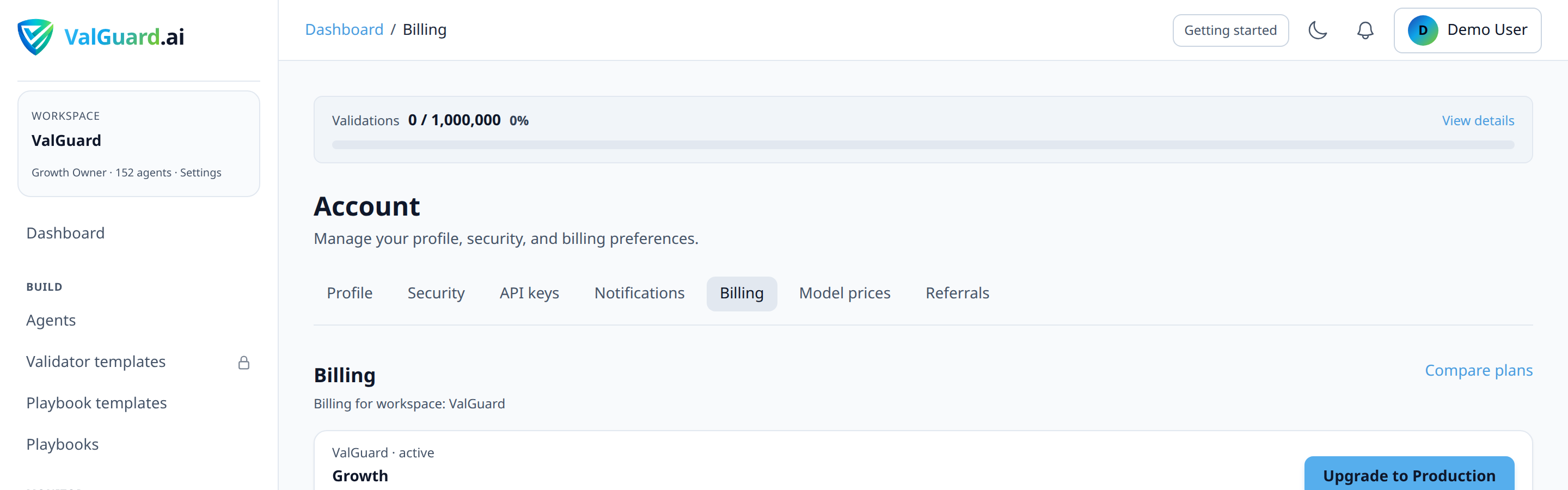
Go to Pricing (or Dashboard → Billing & costs) and confirm your current usage baseline — every plan tracks tokens, but none of them block requests until you explicitly set a cap. The engine keeps a legacy per-plan figure around for internal analytics/reference only; it is not enforced:
Plan Legacy analytics figure (not enforced) Free 500,000 Developer 5,000,000 Growth 50,000,000 Production 250,000,000 Enterprise Unlimited Treat every plan, including Free, as uncapped for tokens until you deliberately set an org or per-agent limit in the steps below.
Step 2: Review current usage
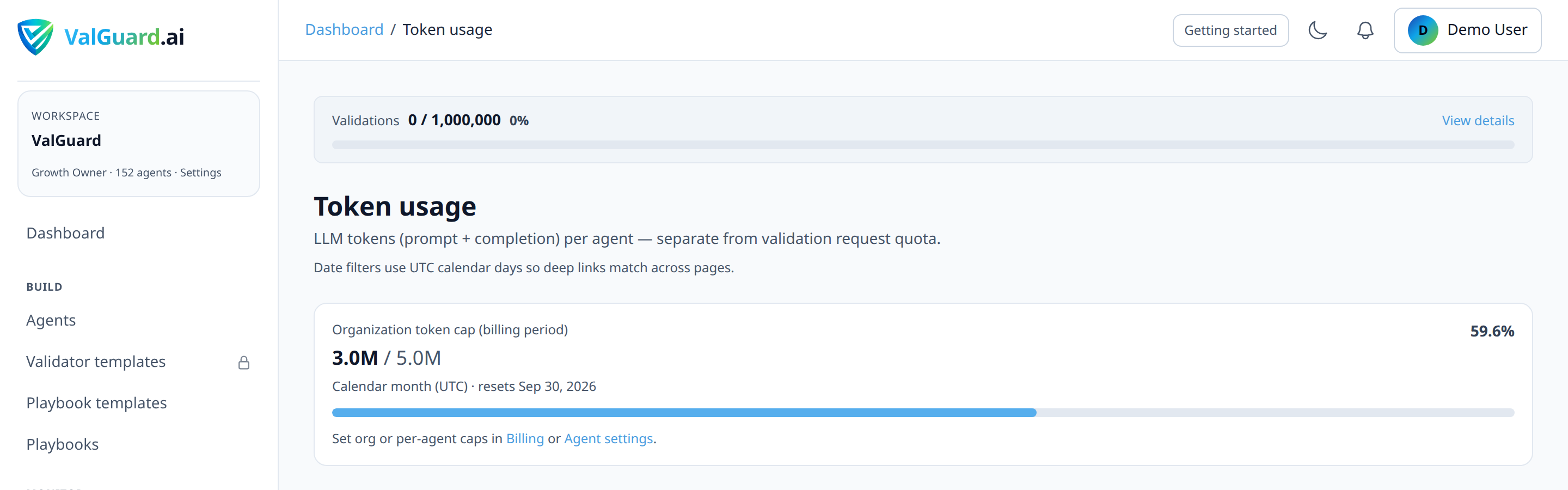
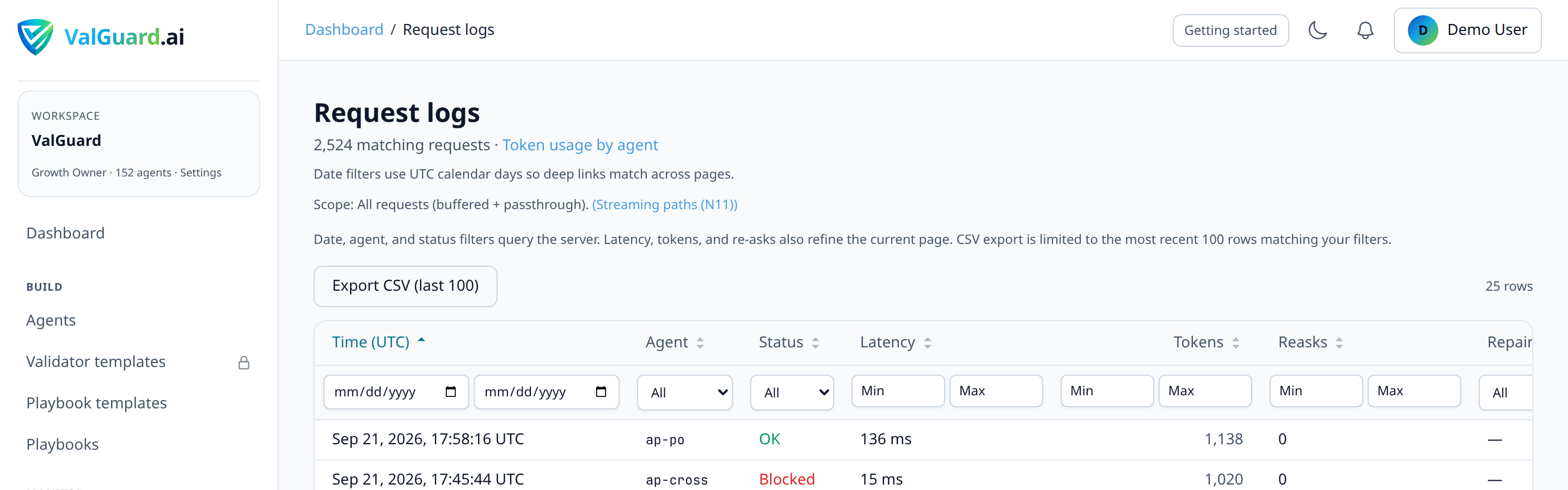
Open Dashboard → Token usage for a per-agent breakdown of usage in the current billing period, plus the org total.
Step 3: Set an organization token cap (Growth+, optional)
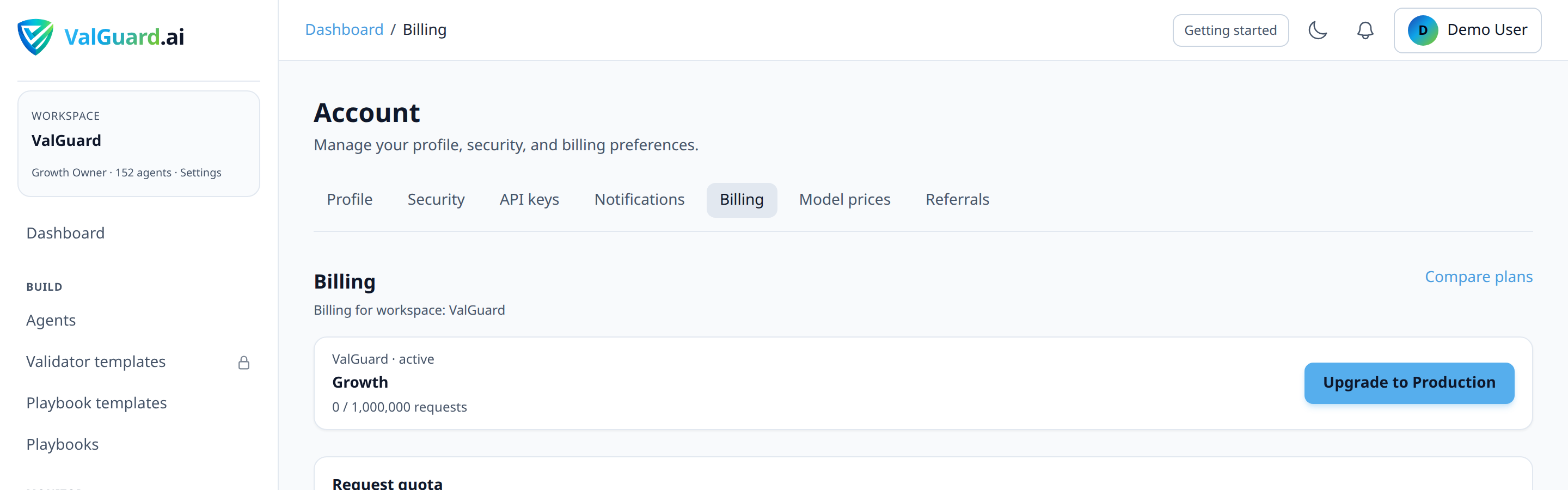
On Dashboard → Billing & costs, find Org monthly token cap and enter a value if you want an explicit organization-wide ceiling. There's no plan default sitting underneath it, so leaving it blank means the organization has no token cap at all.

Step 4: Set a per-agent token limit (Growth+, optional)
On the specific agent's Settings tab, find Monthly token limit and enter a value. Enter
0to disable the agent-specific cap. Note that any org-wide cap you've set still applies regardless of this setting.
Step 5: Confirm which limit is actually binding
If you've set both an org cap and a per-agent cap, work out which one is stricter for that agent's expected share of org traffic. This matters for correctly interpreting which alert or block you'll see first in practice.
Step 6: Monitor usage and projection
Return to Dashboard → Token usage and Dashboard → Billing & costs periodically. The billing page shows a usage bar and, when you're trending toward the limit, a projected exceed date based on your recent consumption rate.
Step 7: Configure email alerts
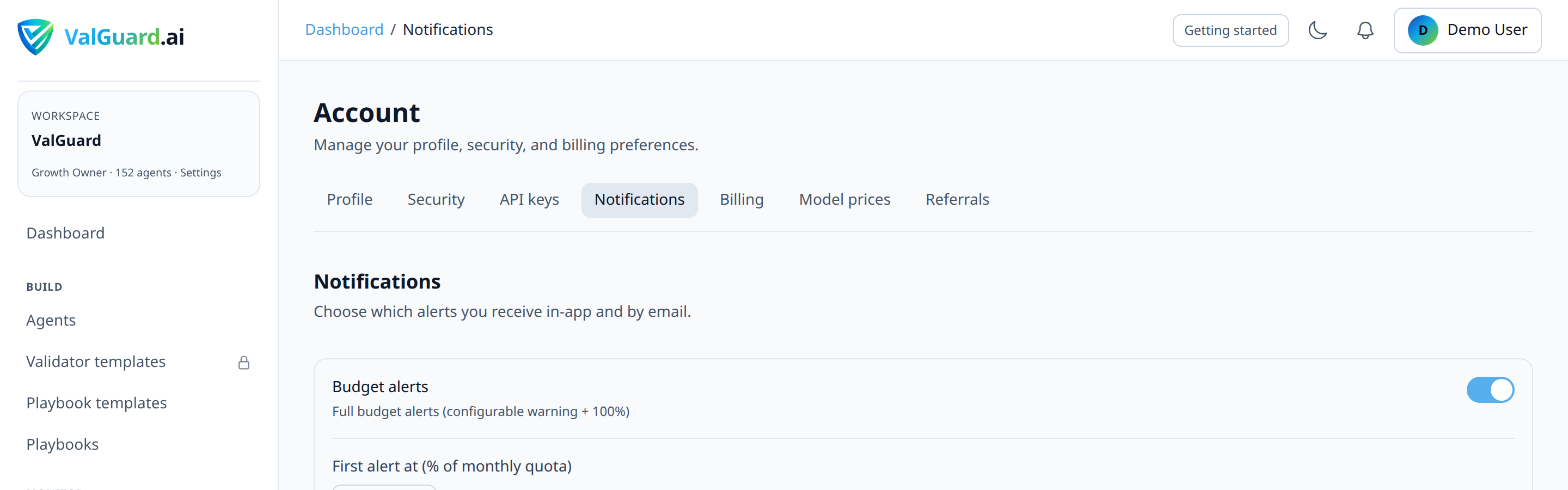
Token cap alerts (at your configured warn threshold and at 100%) share the same Budget alerts toggle as USD budget and validation-quota alerts, enable it in Dashboard → Billing & costs → Notifications. On Growth+, admins can also set the first alert threshold (% of quota); a second alert always fires at 100%. Developer gets a single 100%-only email for validation quota; token cap emails follow the same tier rules.
Step 8: Understand alert deduplication
Alerts dedupe per billing period, so sustained high usage near the threshold won't spam you repeatedly with the same 80% notification. You'll get it once per period, not on every request that happens to be near the boundary.
Step 9: Respond to a token_cap_exceeded block
Options when a cap is hit: raise the org or agent cap (if the usage is legitimate and expected), remove the cap entirely if you no longer need an explicit ceiling, or wait for the billing period to reset (if the spike was anomalous and you have time to investigate before it recurs).
Step 10: Set per-agent limits on your most token-hungry agents first
If you manage many agents, prioritize per-agent caps on whichever ones use the largest contexts or highest volume. That's where a single misbehaving agent could quietly consume a disproportionate share of your shared org allowance.
4Diagram / Flow
5Configuration Examples
Org-level cap (
POST /api/org/token-limitspayload, note it's the same field name as the per-agent setting, just scoped to the organization):{ "monthly_token_limit": 1500000 } ``` **Per-agent limit (agent settings):** ```json { "slug": "rag-qa", "monthly_token_limit": 400000 } ``` **Blocked response (`token_cap_exceeded`):** ``` HTTP/1.1 402 Payment Required Content-Type: application/json { "error": { "code": "token_cap_exceeded", "message": "monthly token limit exceeded", "type": "invalid_request_error" } } ``` **Contrast: USD budget block (`agent_budget_exceeded`, same HTTP status, different code):** ```json { "error": { "code": "agent_budget_exceeded", "message": "agent monthly budget exceeded", "type": "invalid_request_error" } }6Testing and Verification
- Check the usage dashboard reflects reality. Compare Dashboard → Token usage against a known recent volume of test requests to confirm counting is working as expected.
- Low-cap smoke test on a non-production agent. Set an intentionally tiny
monthly_token_limit, send one request, and confirm the next one is blocked withtoken_cap_exceeded. - Confirm which cap actually triggers first, if you've set both org and agent limits. Deliberately test with a scenario where you know one should bind before the other, to confirm your understanding of "stricter wins" matches observed behavior.
7Troubleshooting
"I set an agent limit but requests are still being blocked at a lower usage than I expected." Check whether an organization-level cap is the actual binding constraint. Remember the stricter of the two always wins, so a generous agent-specific limit doesn't help if the org-wide cap is tighter.
"Requests are blocked and I don't see why. My dashboard shows usage well under the cap." Dashboard usage figures may lag slightly behind the very latest requests due to how aggregation is computed; if you're right at the boundary, allow for a short delay between a request happening and it reflecting in the usage view.
"I need separate weekly or daily limits, not monthly." Token caps are monthly, aligned to your billing period. There's no native sub-monthly reset. For finer-grained control, monitor usage trends more frequently rather than relying on the cap's own reset cadence.
"My plan says 'unlimited' tokens but I still got blocked." Enterprise plans have unlimited plan tokens by default, but you (or an admin) may have set an explicit org cap override. Check Dashboard → Billing & costs for an override value that's tighter than "unlimited."
"I upgraded my plan but the cap didn't change." Confirm the org-level override (if any) wasn't left in place from your previous plan. An explicit override persists across plan changes and will keep binding at its old value until you update or clear it.
8Best Practices
- Understand that caps are opt-in before setting anything. No plan applies a token cap by default; only set an org or agent limit if you specifically want an explicit ceiling.
- Set per-agent limits on your highest-volume or largest-context agents first, not uniformly across every agent. That's where a limit provides the most protective value.
- Watch the projected exceed date, not just the current percentage. A usage bar at 60% with three weeks left in the period is a very different situation from 60% with three days left.
- Pair token limits with USD budget alerts. They catch different failure modes (raw volume vs. estimated cost) and are worth having both, especially on cost-sensitive production agents.
- Treat a token_cap_exceeded event as an investigation trigger, not just something to immediately raise the limit past. Confirm the usage is legitimate before assuming the cap itself was simply set too low.
9Advanced Options
Balancing org vs. agent caps deliberately. For organizations running many agents with very different usage profiles, an explicit org cap set close to the sum of your intended per-agent caps (rather than left unset) forces you to actually think through your allocation across agents, rather than letting one agent silently consume most of the shared allowance.
Overage billing as an alternative to a hard stop. On Dashboard → Billing & costs, organizations with an active paid subscription (Growth or Production) can enable Token overage billing (
token_overage_enabled). When enabled, requests that would exceed the org-level token cap still proceed (metered via Stripe) instead of returningtoken_cap_exceeded. Per-agentmonthly_token_limitvalues always hard-block at 402 regardless of overage settings; only the org cap can be softened. Free and Developer plans can't set a token cap at all (it's a Growth+ feature), so there's nothing to soften on those tiers in the first place. This is separate from validation-quota overage (overage_enabled) and from theX-VG-Overage: trueresponse header, which applies to validation-request quota overage, not token caps.Correlating token spikes with reask/orchestration changes. A sudden jump in token consumption on a previously stable agent is often explained by a recent change to
max_reasks, a new fan-out branch, or a prompt change that increased average completion length. Worth checking your recent configuration changes before assuming it's simply organic traffic growth.10Summary and Next Steps
Token limits cap raw consumption (prompt plus completion tokens, combined) at both the organization and (optionally) per-agent level, with the stricter of any applicable caps always winning. Setting them up is straightforward; the judgment is in understanding how the org and agent layers interact, and in treating the projected-exceed-date metric as your early warning system rather than just watching the raw percentage.
From here, using budget alerts covers the complementary USD-based cap and degrade modes, using Cost control covers the Cost hub and budget-aware playbook phrases, and monitoring your flows is where you'll actually catch a usage trend developing well before either cap is a factor.