
How to test branches in sandbox mode
Publishing a playbook you haven't actually walked through with adversarial inputs is a bet, not a decision. Sandbox mode, Simulate in the playbook editor's Try it panel, lets you run a playbook graph end to end against sample messages without spending a real execution against your plan's limits and without calling a live upstream model in a way that counts toward billing. It's the tool that turns "I think this branch works" into "I watched this branch execute and confirmed it."
This tutorial covers using Simulate systematically: running the happy path, deliberately constructing edge cases to exercise every branch, building a reusable fixture set so testing isn't a one-time exercise, and knowing when you've tested enough to promote a playbook to a real Live run before announcing it. By the end, you'll know:
- The difference between Simulate and a Live run, and why that difference matters for billing and confidence
- How to systematically test every branch in a graph, not just the default path
- How to build and reuse a fixture library across publishes
- How to read the execution timeline to catch problems Simulate's overall pass/fail summary alone would miss
- When Simulate isn't enough and you need a real Live run before trusting a playbook
1How It Works
Every playbook has a Try it panel with two modes, and they test fundamentally different things.
Simulate never calls an agent, a validator, or an upstream LLM. It's a client-side walk of the graph's routing logic: for each agent step, you declare what that step's outcome would be: Pass, Block, or Warn, either by clicking a pre-built scenario button (from the template's
sandbox_scenarios) or by opening Advanced per-agent and setting each step's outcome yourself, plus an optional sample output string. Simulate then walks the graph exactly the way the real orchestration engine would, using your declared outcomes to decide which route each step takes. The "customer message" field is really just a note you save with the scenario; on its own, typing a different message does not change which branch fires. This makes Simulate free and instant to iterate on: change a declared outcome, re-walk the graph, see the new path, as many times as you need, with zero cost and no plan-limit consumption.Live sends a real message through the actual published graph via the real validation path: every agent genuinely calls its model, every validator genuinely runs, and the execution counts as one real playbook run. This is the only mode that tells you what your prompts and validators actually produce; Simulate can only tell you where the graph routes to, given an outcome you supplied.
Simulate's value, then, is entirely about routing correctness, not agent correctness: does the graph take the branch you expect when a given step passes, blocks, or warns; does a repair loop actually exit at
max_visits; does a merge step combine branch outputs the way you configured it. Whether a step's validator actually produces a block for a given real input is a question only Live (or the Playground/validator tester, for a single agent in isolation) can answer.Testing "every branch" means deliberately declaring an outcome for each route condition in the graph, not just running the one scenario that comes with the template. A graph with an
on_validation_pass/on_validation_blockbranch needs at least one declared-pass and one declared-block run per step that branches; a graph withjson_field_equalsbranches needs an input per distinct field value you're routing on; a repair loop needs a run where the repaired step is declaredblockon every attempt, to prove the exit route fires at exactlymax_visits.2Prerequisites
- A playbook (draft or already published) with at least one conditional branch; see the fallback-logic tutorial if yours is still purely linear
- A list of the distinct route conditions in your graph; write these down before opening Simulate, so testing is systematic rather than improvised
- A few minutes per branch; thorough branch testing is fast per iteration since Simulate is free, but budget enough time to cover every route, not just the obvious one
3Step-by-Step Setup
4Step 1: List every route condition in your graph
Before touching Try it, open the graph (Storyboard or Map view) and write down every distinct route: which step, which condition type, which destination. This list is your test plan.
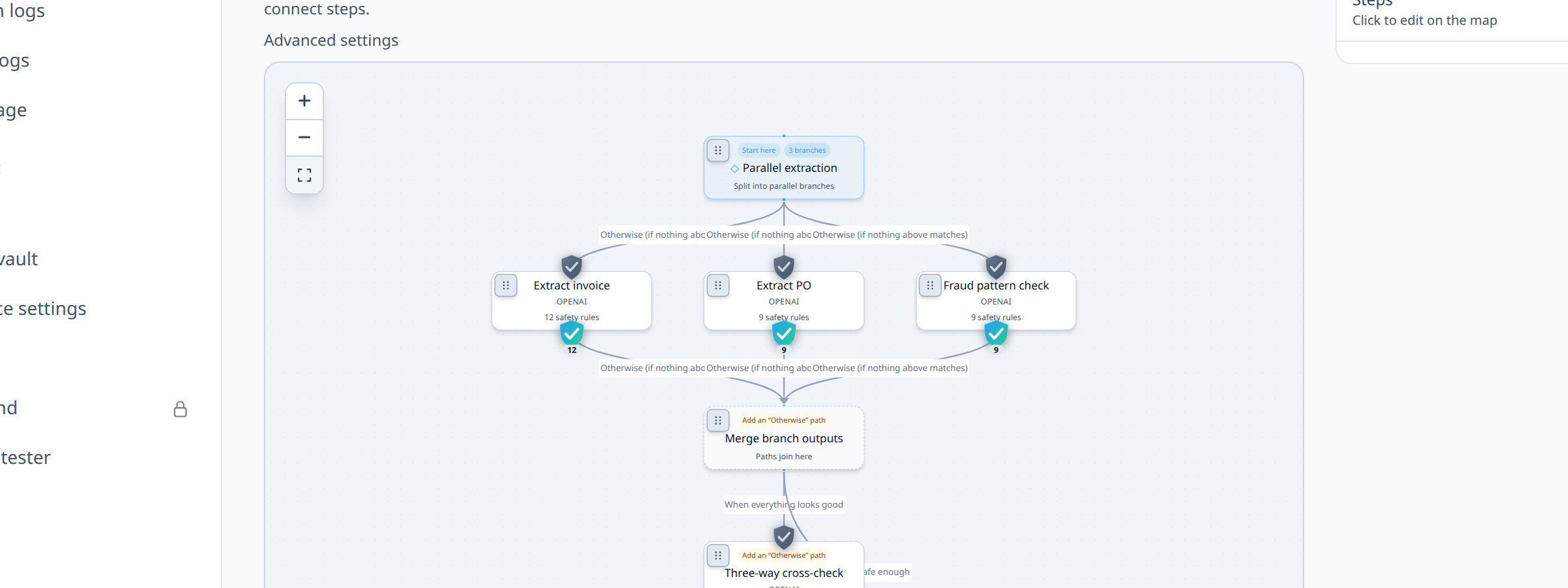
5Step 2: Open Try it → Simulate
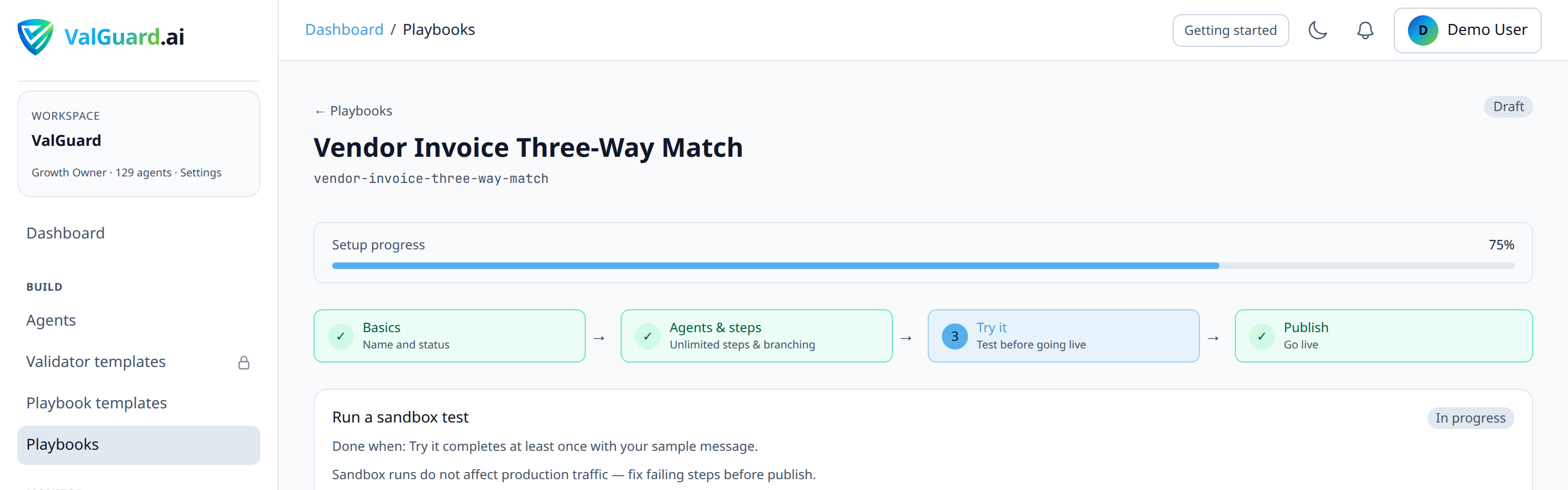
6Step 3: Run the built-in example first
Click Run example to walk the template's default scenario, if one exists (templates ship with
sandbox_scenarioscovering common paths). Confirm the timeline matches your expectations for the happy path before moving to edge cases.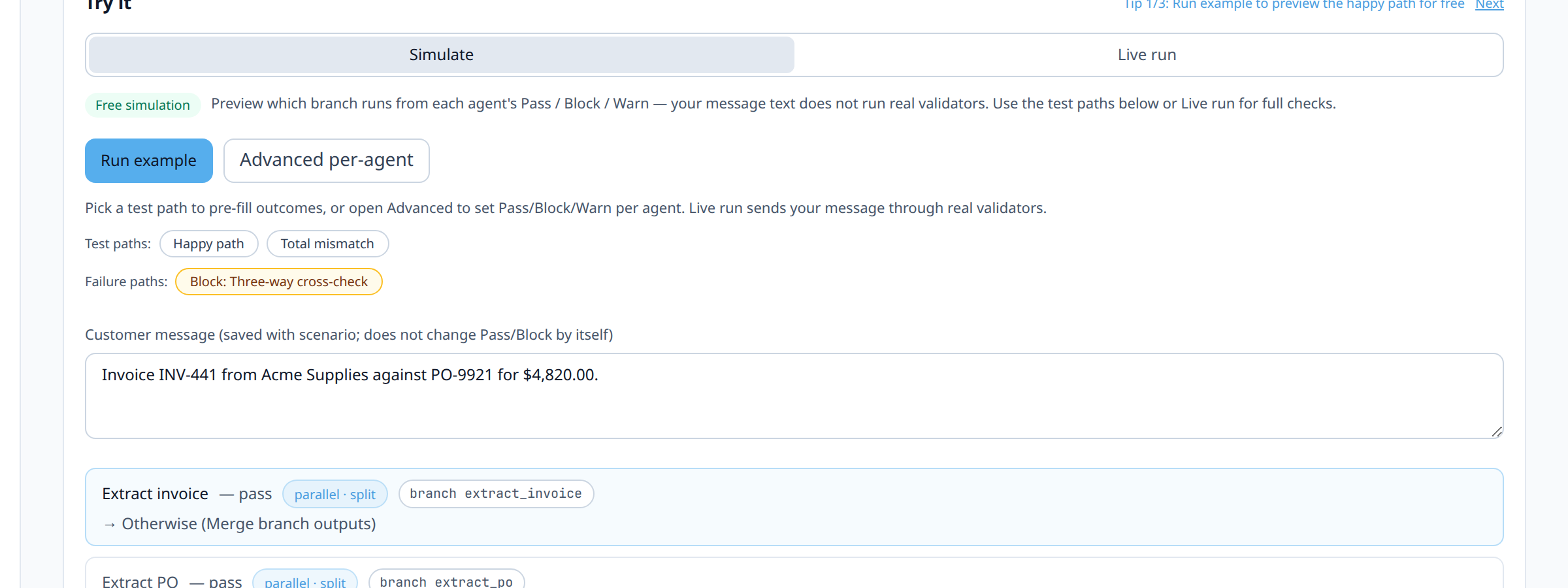
7Step 4: Declare an outcome for each branch on your list
Open Advanced per-agent. Work through your route list from Step 1 one at a time: for each agent step involved in a branch you want to test, set its dropdown to Pass, Block, or Warn, whichever outcome should trigger that specific route, and, if the route depends on a specific failed rule (
on_rule_failed), fill in the rule name. This is what actually drives which branch fires; the customer-message text is not evaluated by anything.
8Step 5: Run each declared scenario and inspect the timeline, not just the summary
For each test, don't just check "did it pass or fail overall". Expand the timeline and confirm the specific route taken matches what you declared, and that a merge step (if any) combined the declared per-branch sample outputs the way
merge_modesays it should.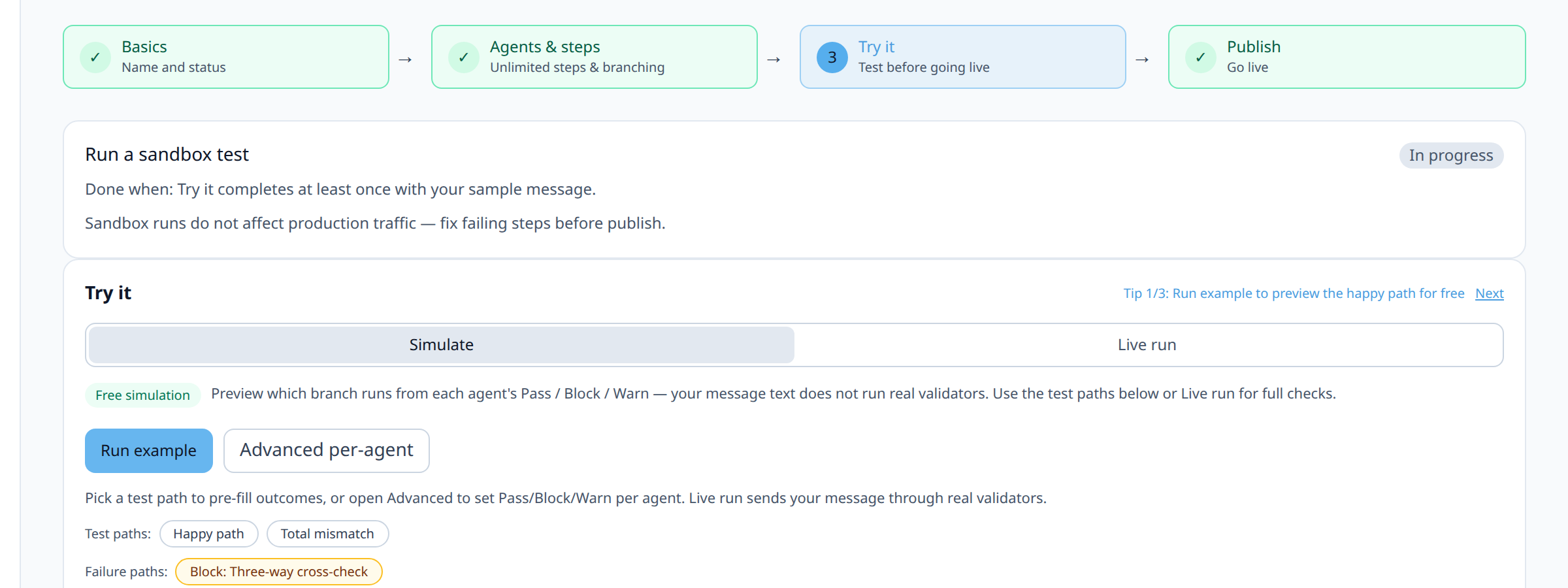
9Step 6: Test repair loop exit conditions explicitly
If your graph has a repair loop (see the fallback-logic tutorial), declare
blockfor the repaired step on every attempt and confirm the loop exits to its fallback destination at exactlymax_visits, not before and not after.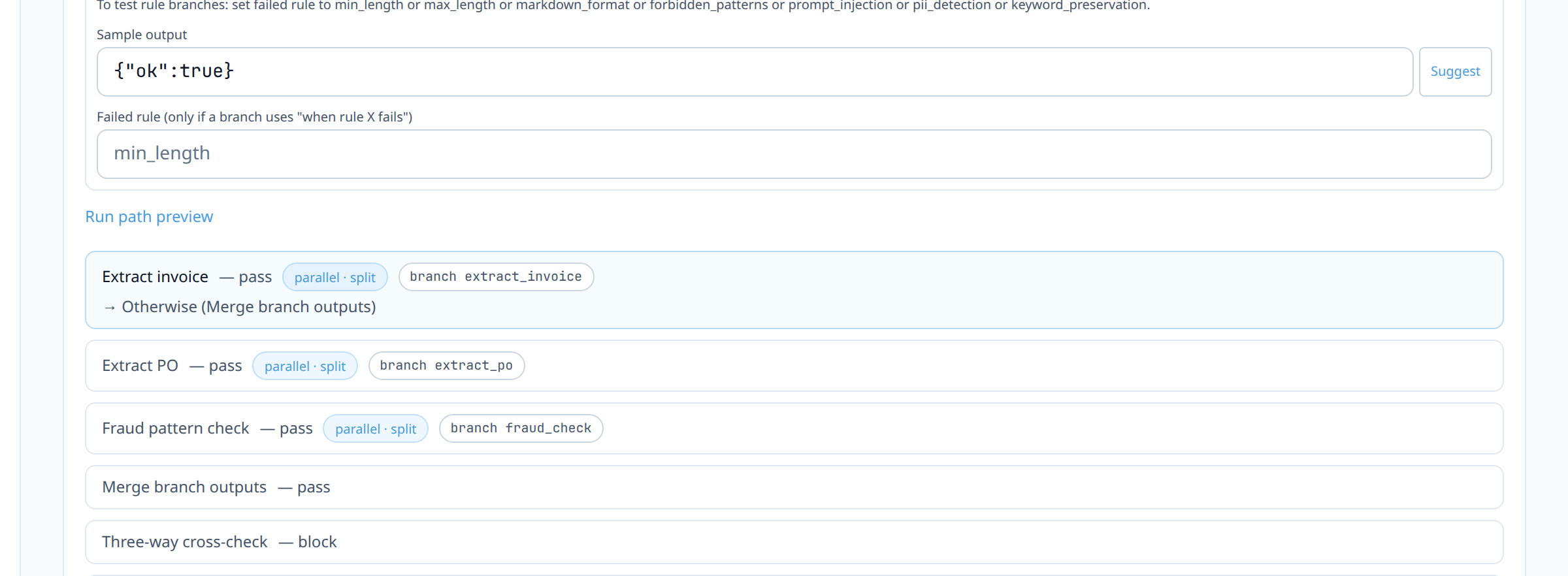
10Step 7: Test fan-out branch shape and merge logic
If your graph has a fan-out/merge shape (see that tutorial), declare an outcome per branch and confirm the timeline tags every branch step with the same
parallel_group, and that the merge step combines the declared sample outputs the way itsmerge_modesays it should. Simulate can confirm this shape is wired correctly; actual concurrent timing only shows up in a real Live run (see the fan-out-merge tutorial for where to check that).11Step 8: Keep a fixture library of declared outcomes, not just ad hoc runs
Save your test scenarios (which steps you declared as Pass/Block/Warn, and why, for the happy path and each branch and edge case) somewhere your team can reuse: a shared doc, a text file in your repo, or (for the ones worth keeping permanently) actual
sandbox_scenariosentries on the playbook template itself. Re-running the same scenario set before every future publish is far more valuable than reinventing test cases each time.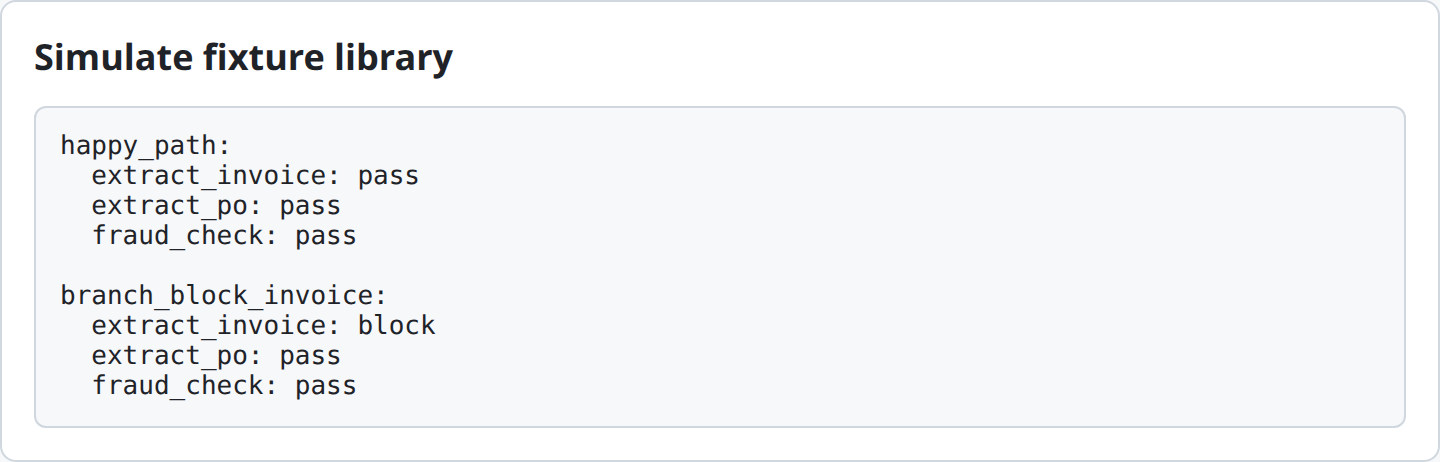
12Step 9: Run one real Live execution before announcing readiness
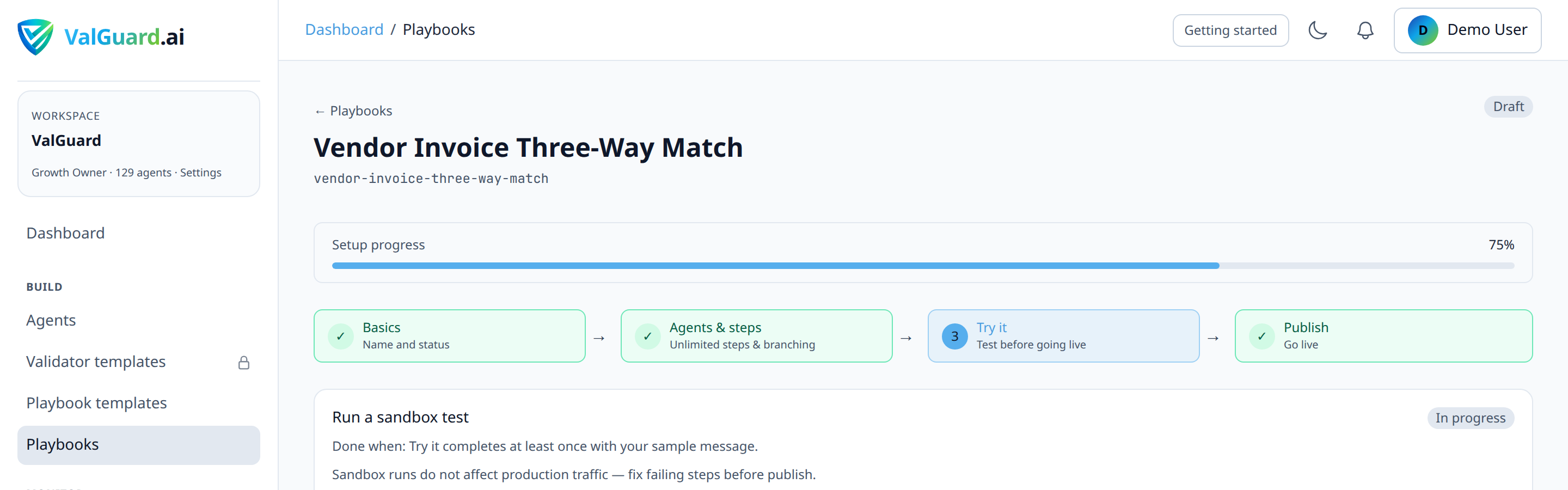
Simulate confirms the graph's routing logic; only a real Live run confirms your actual agents and validators produce the outcomes you assumed when declaring Pass/Block/Warn during Simulate testing. A graph that routes perfectly in Simulate can still misbehave in production if a validator's real params don't match what your prompt actually produces. Live is the only mode that exercises that end to end.
13Step 10: Re-run your fixture library before every future publish
Every time you edit the graph, a validator, or an agent's prompt, re-run your saved fixture set before publishing again; a change intended to fix one branch can silently break another that wasn't touched directly.
14Diagram / Flow
15Configuration Examples
Example scenario list for a KYC-style playbook (kept in your own notes, not ValGuard configuration):
Scenario: happy-path-clean-documents Declared outcomes: extract = pass, cross_check = pass Expected route: extract → cross_check → approve Scenario: mismatched-name-across-documents Declared outcomes: extract = pass, cross_check = block (failed_rule: cross_field_logic) Expected route: extract → cross_check (on_validation_block) → review_handoff Scenario: illegible-document-repair Declared outcomes: extract = block on attempts 1–2, pass on attempt 3 Expected route: extract (repair loop, 2 attempts) → review_handoff ``` **curl equivalent of a Live confirmation run (after Simulate testing is complete):** ```bash curl -si "$VG_PROXY/v1/chat/completions" \ -H "Authorization: Bearer $VG_API_KEY" \ -H "X-VG-Flow: kyc-document-review" \ -H "Content-Type: application/json" \ -d '{"model":"openai/gpt-4o-mini","messages":[{"role":"user","content":"Passport and utility bill for Jane Doe..."}]}'16Testing and Verification
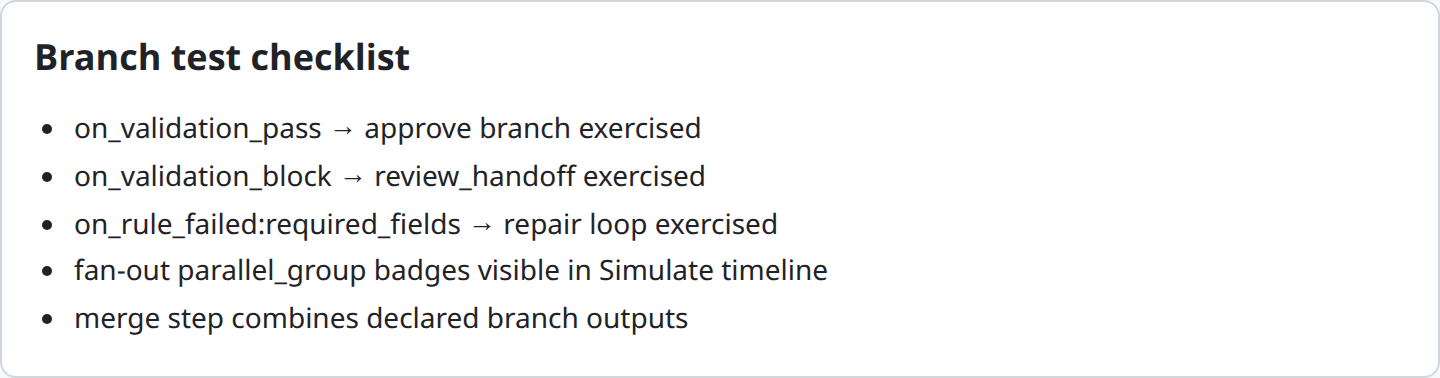
- Coverage check against your route list. After a testing session, go back to the list of routes you wrote down in Step 1 and confirm every single one has an explicit declared-outcome scenario exercising it, not just the ones that came to mind naturally.
- Timeline inspection, not just pass/fail. For at least one test per branch, actually expand and read the execution timeline rather than trusting the summary result alone.
- Live confirms what Simulate can't. Run at least one real message through Live per major branch and confirm the real validator outcome matches what you'd been declaring in Simulate. This is what actually proves your validators and prompts, not just your routes, are correct.
17Troubleshooting
"Simulate shows a different route than a real Live call, even after I declared the outcome I expected the real call to have." This means your assumption about what the real agent/validator would produce was wrong, not that Simulate is broken. Simulate faithfully walks the graph based on what you declared; it has no way to know your validator would actually behave differently on real input. Use the real Live result (or the validator tester on the specific step) to figure out the actual outcome, then treat that as the correct thing to declare in future Simulate runs for this scenario.
"I can't get a branch to trigger no matter what I try in Advanced per-agent." Re-check the route's exact condition: for
on_rule_failed, confirm therule_nameyou typed matches the validator's exact name; forjson_field_equals, confirm the declared sample output actually contains that field with that value, since Simulate evaluates the condition against the sample output text you supplied, not against some inferred "real" result."Simulate runs are counting against my plan limits." They shouldn't. Simulate runs are specifically designed not to consume request quota. If you're seeing quota consumption you don't expect, confirm you're actually in the Simulate tab and not accidentally running Live.
"My fixture library is getting stale. Old test cases don't reflect current agent behavior." Treat fixtures as living test cases, not a one-time artifact; when an agent's prompt or validator configuration changes meaningfully, revisit whether your saved fixtures still represent realistic inputs for the current behavior.
18Best Practices
- Write down your route list before opening Try it. Testing systematically against a list beats testing by whatever outcomes happen to occur to you in the moment.
- Remember Simulate tests routing, not correctness. It's the graph's control flow you're verifying. Whether your validators actually produce the outcome you declared is a separate question that only Live (or the validator tester) can answer.
- Read the timeline, not just the summary, for every branch at least once; the summary tells you pass/fail, the timeline tells you why.
- Test repair loop exits explicitly, and confirm fan-out branch shape in Simulate, saving actual concurrency verification for a real Live run; these are the shapes most likely to have a subtle bug that a simple happy-path test wouldn't surface.
- Maintain a shared scenario library, not personal scratch notes; the value compounds every time someone re-runs it before a future publish.
- Always run real Live executions per major branch before wide rollout, even after thorough Simulate testing; it's the only way to confirm the outcomes you assumed while testing routes are what your agents actually produce.
19Advanced Options
Promoting scenarios into the template itself. A scenario you find yourself re-running often is a good candidate to add permanently to the playbook template's
sandbox_scenarios; that way it ships as the default "Run example" experience for anyone who applies the template later, not just a private note.Sandbox scenarios in templates. Most orchestration templates ship with built-in
sandbox_scenarios: pre-built declared-outcome scenarios covering common branches for that template. Worth checking before building your own scenario set from scratch.Testing across agent settings variants. If an agent used in the playbook is being A/B tested with different prompts or models, run real Live requests against each variant before deciding which configuration to actually publish with; Simulate can't distinguish between variants since it never calls either one.
20Summary and Next Steps
Sandbox testing turns "I think this playbook handles edge cases" into "I watched it route through every edge case I could think of." The key distinction to internalize is that Simulate is a free, instant, client-side preview of routing logic: you declare each step's outcome and watch where the graph sends it, while Live is the only mode that actually calls your agents and validators. The discipline is systematic route coverage in Simulate, followed by real Live runs per major branch before wider rollout, not skipping straight from "Simulate looked right" to production.
From here, deploying your first agent covers the production rollout discipline once testing is complete, and testing validators in CI/CD is worth exploring if you want systematic real validator testing to run automatically rather than manually before every change.